


What Yaver is
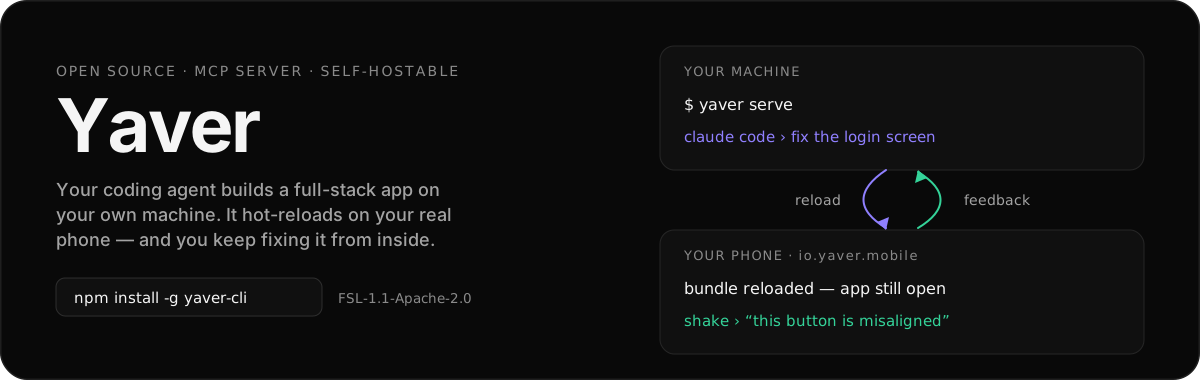
AI writes the code in seconds. The loop around it — build, install, reproduce, describe what's wrong, get back to the agent — still takes hours. Yaver closes that loop.
The yaver agent runs on hardware you already own: a Mac, a Linux box, a WSL machine, a Pi, or a VPS. Your coding agent works there, against your real repo. Every other surface — phone, watch, TV, car, AR/VR, browser — is a remote control and a preview target for that one machine.
It runs on the AI subscription you already pay for — no token markup, and your code never leaves your machine.
iOS and Android are the deepest path today. Watch, TV, car, and AR/VR surfaces live in this repo and share the same core.
Quick start
npm install -g yaver-cli
yaver auth
yaver serve
On a headless box (Pi, VPS, SSH-only), yaver auth --headless prints a short code and a URL you can open from any browser.
npm is the only supported install path, on macOS (Apple Silicon + Intel), Linux (x64 + arm64), and Windows via WSL2. It downloads a signed, notarized agent binary for your platform.
Then grab the app and pair it with that machine:


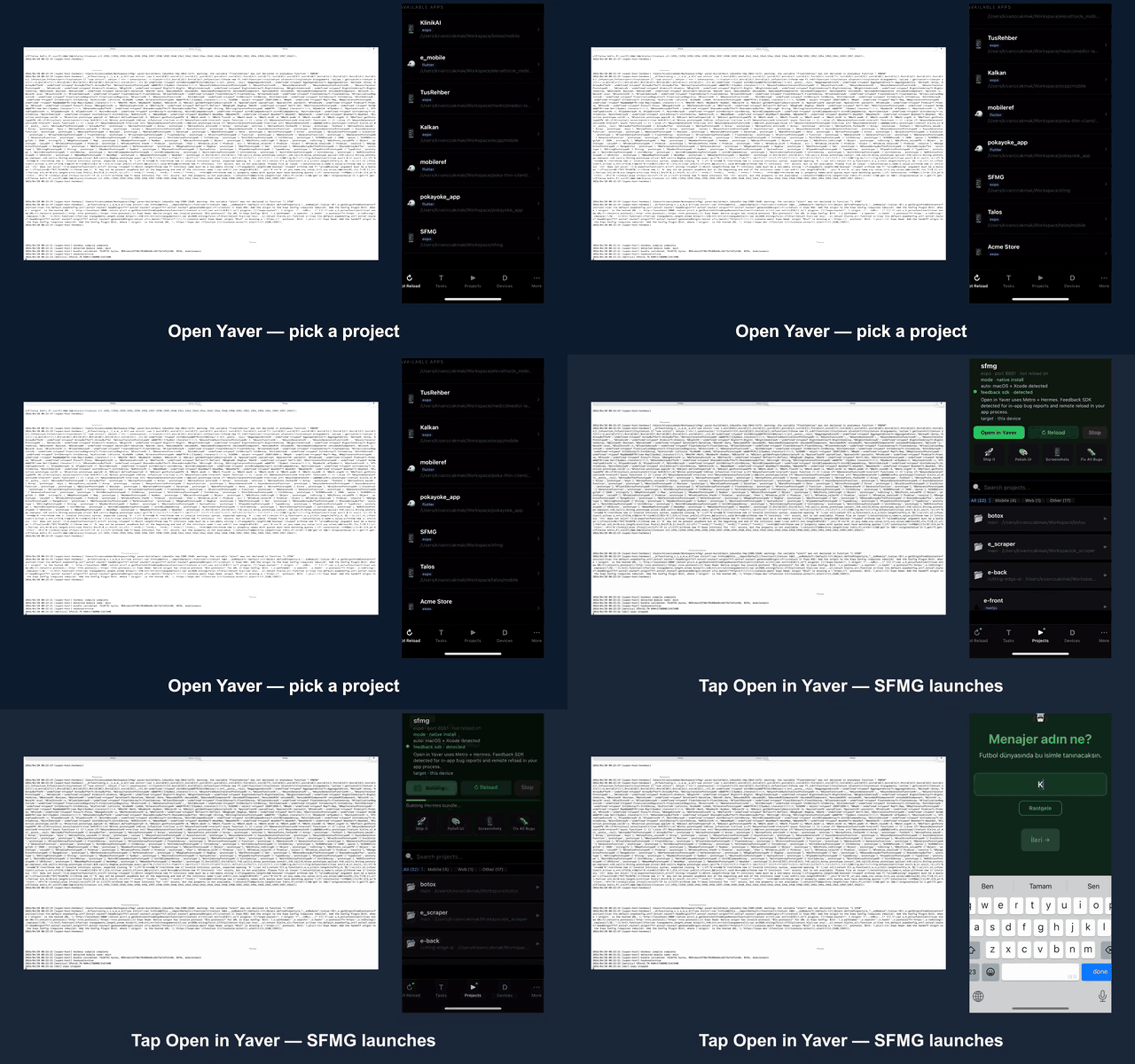
Open Yaver, pick a project from your dev box, preview it on your phone, shake to vibe-code — fix a bug, ship a small feature, or tweak a style — and a fresh bundle lands in seconds. One screen, real device, no extra hardware.
Install or use it from your coding agent
Install the CLI directly, or register Yaver as an MCP server so Claude Code, Codex, or opencode can drive your machine from chat. MCP does not need a global install first — npx pulls the server on first run.
# direct CLI
npm install -g yaver-cli
yaver auth

# or as MCP
# Claude Code
claude mcp add --scope user yaver -- npx -y yaver-cli yaver-mcp

# Codex
codex mcp add yaver -- npx -y yaver-cli yaver-mcp

# opencode
npx -y -p yaver-cli yaver mcp setup opencode

# then, in the agent chat:
call yaver_lazy_setup
Already installed globally? yaver mcp setup claude-code (or codex / opencode) writes the same entry, and yaver auth auto-registers every installed runner on first sign-in. Yaver is published to the official MCP registry as io.github.yaver-io/yaver. Codex Desktop can also load the repo-local plugin in plugins/yaver.
Full tool list and HTTP/remote setup: MCP guide.
How it works
- Start
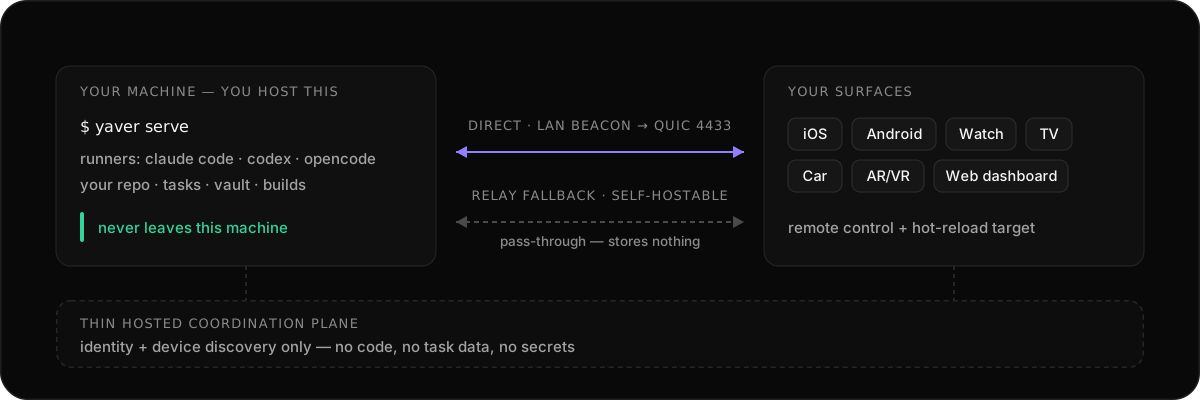
yaver serveon your own machine. - Pair a surface — the mobile app, the web dashboard, or another Yaver client.
- Send a task to your coding agent from whichever surface is nearest.
- Watch terminal, build, and reload progress stream back live.
- Push the fix to a real device, or deploy from your own machine when it's ready.
The CLI, agent, relay, and backend are all self-hostable. Client apps currently reach you through a thin hosted coordination plane for identity and device discovery; full client self-host is on the way.
For remote access, Yaver Relay is the default path. The free shared relay is for light personal use and has fair limits; the relay implementation is open source if you want to run your own.
What works today
- Drive Claude Code, Codex, OpenCode, Aider, Goose, or another terminal agent from the Yaver agent.
- Push React Native / Expo bundles to a paired phone through the native Hermes path.
- Capture dev-build feedback with screenshots, logs, and replay context.
- Stream task, build, and reload progress to mobile or the web dashboard.
- Keep peer discovery, relay, and vault flows local-first.
- Build against SDKs and examples for React Native, Flutter, web, Unity, Go, Python, and JS/TS.
What it costs
A solo developer can start with the open-source stack at $0.
| Component | Runs on | Cost |
|---|---|---|
| Yaver CLI + agent | Your dev machine | $0 |
| Yaver surface apps | iOS / Android / watch / TV / car / AR/VR | $0 |
| Web dashboard | Browser | $0 |
| Backend on your own machine | Your Mac / Linux / WSL / VPS | $0 + your hardware |
| Yaver shared relay | Yaver-hosted, fair-use limited | $0 |
| AI models (Ollama) | Your GPU or CPU | $0 |
The open-source stack includes the mobile app, CLI, agent, web dashboard, SDKs, and relay implementation. Yaver's shared relay is available with fair limits for getting started. Your coding agent brings its own login or subscription — Yaver never resells tokens.
V1 is focused on your own devices and self-hosted machines. Managed paid products and machine-sharing surfaces are not part of the launch surface.
Repository map
| Path | Purpose |
|---|---|
desktop/agent/ |
Go agent, CLI surfaces, local API, relay/P2P/runtime integrations |
mobile/ |
React Native mobile app and native preview container |
watch/, wear/, tvos/ |
Apple Watch, Wear OS, and Apple TV client surfaces |
web/ |
Next.js marketing site and dashboard |
backend/convex/ |
Hosted identity, session, and device-discovery metadata |
relay/ |
QUIC relay service |
sdk/ |
Public SDKs and feedback clients |
demo/ |
Small fixture apps used to test SDK and push flows |
demo-videos/ |
Source notes for the landing/demo clips |
docs/ |
Architecture notes, setup guides, audits, handoffs, and planning material |
Deploying Yaver
Use exactly one local entrypoint:
./deploy/deploy.sh <target> [options]
Targets are all, backend, cloudflare, ios, android, npm, and mcp
with aliases listed by ./deploy/deploy.sh --help. The entrypoint delegates to
the maintained vault-aware scripts and yaver deploy commands, but gives
humans, agents, and MCP one path so deploys do not drift.
Deploys are owner-only. The script refuses group/other-writable repo or script paths before touching Convex, Cloudflare, App Store Connect, Play Console, npm, or MCP registry credentials.
This repo is the monorepo
Yaver is one monorepo — this one. Agent, CLI, mobile, watch, TV, car, AR/VR, web, relay, backend, and SDKs all live here and ship together. Splitting them would only buy version skew between surfaces that have to agree.
Everything else in the yaver-io org is a
validation / use-case app — something whose only job is to exercise Yaver
from the outside. Those are separate repos precisely because they must be
clonable, buildable, and breakable on their own, exactly as a user's project
is. If they lived in here they'd inherit this repo's tooling and stop being an
honest test.
The rule: product code goes in this repo; anything that tests the product from outside gets its own repo.
Validation apps
The apps that prove Yaver works live in their own repos, not in this one. They are local-only todo apps — no backend, no accounts, no network — and they are deliberately boring, because they are the control.
The same todo app is built five ways. Yaver reaches each one differently, so when the loop feels different across stacks, it is the transport that differs and not the app:
| Repo | Stack | How Yaver reaches it |
|---|---|---|
| yaver-todo-rn | Expo / React Native | Hermes — the agent compiles an HBC bundle and the container swaps it in place |
| yaver-todo-kt | Native Android (Kotlin) | native-webrtc — runs on a build host, H.264 streamed to the phone, taps sent back |
| yaver-todo-swift | Native iOS (SwiftUI) | native-webrtc — same, macOS build host only |
| yaver-todo-flutter | Flutter / Dart | native-webrtc — Dart has no Hermes equivalent |
| yaver-todo-web | Next.js | dev server — HMR through Yaver's relay path |
Hermes is React-Native-only: native and Flutter apps compile to real binaries and can never be loaded into the Yaver container. That is why three of the five exist — they are the only honest way to exercise the streaming path.
They are separate repos so they can be cloned, built, and broken without touching this one. Each README states what works and what doesn't per stack, including where a feedback SDK does not exist yet.
Documentation
Docs index · Setup · Contributing · Runtime architecture · Protocol · Feedback SDK · Security · License
If an AI coding agent is setting Yaver up for you, point it at the canonical machine guide first:
curl -s https://yaver.io/llms.txt
Markdown in this repo is context, not source of truth. If a doc and the code disagree, trust the code and fix the doc in the same change.
Development
# Web dashboard / landing
cd web && npm install && npm run dev

# Go agent tests
cd desktop/agent && go test ./...
Run the narrower package tests for the area you change — the repo spans Go, Node, React Native, Swift, Kotlin, Flutter, Unity, and embedded C.
License
The repo uses a split license: the core is FSL-1.1, which auto-converts to Apache-2.0 after two years, and the client SDKs are Apache-2.0 so you can embed them in closed-source apps. See docs/planning/LICENSING.md.
If your legal team needs the core under different terms, a commercial license is available — email kivanc.cakmak@simkab.com.