dsh-mcp-panel
- 1024 store channel:
npm i -g dsh1024once, thendsh1024 plugin --profile web add dsh-mcp-panel(counts toward the deepseek1024.com install ranking).

The MCP management console for the official DeepSeek Harness MCP client — add, edit, remove, and trial-call MCP servers from a settings page, with honest status, health diagnostics, and safe, reversible profile writes.
Official client = bridge, this plugin = console: read status through the mcp/status seam, write only append-only, approval-gated profile patches.
Official repository. This is the only official repository of dsh-mcp-panel, maintained by PerryLink. Same-name repositories under other accounts are not affiliated.








English · 简体中文 · Español · Português · हिन्दी
dsh plugin --profile <name> add dsh-mcp-panel
📖 Ecosystem knowledge base — measured data, not marketing: plugin development guide · plugin-selection data · maintenance criteria.
Install & uninstall
- git channel (latest
main):dsh plugin --profile web add github:PerryLink/dsh-mcp-panel— thepreparescript builds with production dependencies only. - npm channel (published releases):
dsh plugin --profile web add dsh-mcp-panel. - tarball channel:
pnpm packin this repo, thendsh plugin --profile web add ./dsh-mcp-panel-<version>.tgz. - uninstall: remove the
mcp-panelrow fromcordis.patch.yml(the web surface hot-reloads it), delete the package from the profile'snode_modules, and verify withdsh web --dump-configthat nomcp-panelrow remains.
⭐ 如果它帮到了你
这个插件是 DSH 插件家族的一员(95 个,全部 Apache-2.0)。如果你在用,给个 star —— 它不会解锁任何功能,但会让下一个人在搜索里更容易找到它。
English: part of a 95 plugin family for DeepSeek Harness. If it is useful, a star helps the next person find it — nothing is gated behind it.
What is dsh-mcp-panel?
The MCP management console for the official DeepSeek Harness MCP client — add, edit, remove, and trial-call MCP servers from a settings page, with honest status, health diagnostics, and safe, reversible profile writes.
Official client = bridge, this plugin = console: read status through the mcp/status seam, write only append-only, approval-gated profile patches.
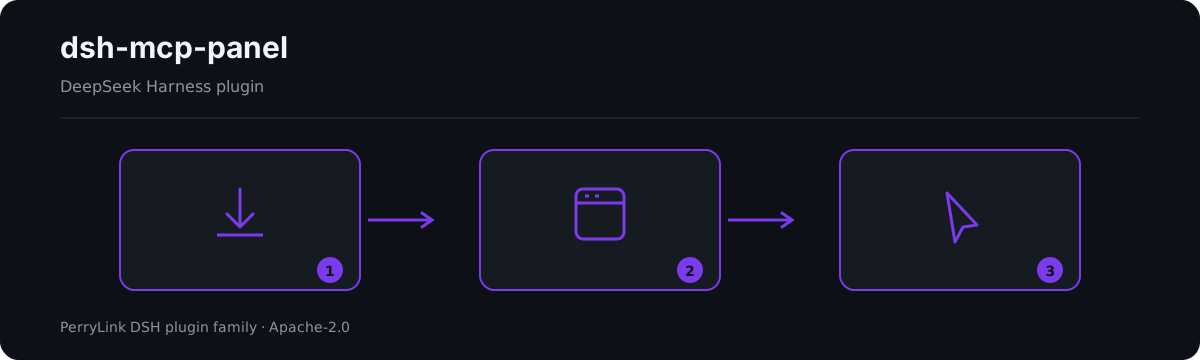
Workflow overview: install → open panel → act. The examples below use the real command surface.
Compatibility
| Surface | Status |
|---|---|
| Harness | DeepSeek Harness dsh-v0.2.1-rc.2 (verified 2026-10-18): engines.dsh >=0.2.1-0 <0.3.0; the P0 compatibility paths have regression tests. |
| Node | ^22.19.0 || >=24.0.0 |
| Platforms | Web GUI (dual-face: host + browser) |
| Model | Any (the panel is read-only; only /mcp output is model-readable) |
What you get
dsh-mcp-panel is the experience layer on top of the official MCP client: a read-only runtime view plus safe, reversible profile writes.
/mcpcommand — one row per server: transport, target, tool count, connection status (from the upstream seam;unknownwhen unobserved), last error, reconnect count — model-readable, session-log reconstructable, five output languages./mcp <server> tools— model-visiblemcp__*tool names and descriptions./mcp <server> health— derived self-heal suggestions (ENOENT → missing dependency, ECONNREFUSED, timeouts, 401/403/404, DNS, rate limit, reconnect exhaustion…); exit code / stderr tail honestly labeled pending upstream support until the client exposes them./mcp <server> disable/enable— turn one server row off or back on without editing the profile patch by hand./mcp <server> probe— one Streamable HTTP connectivity probe for that server (background job)./mcp <server> call <tool> [json]— trial-call through the official tool pipeline (ctx.tools.execute()); pre-execute permission policy, approval, guards, and post-execute all apply.- Settings → Plugins → MCP tab — status cards with badges, diagnostics, and probes, plus the server CRUD and the tool trial console.
- Server CRUD — add/edit/remove forms →
insertfor add and id-targeted overrides (- id:+name:+disabled:/config:) for edit/remove → clipboard copy or approval-gated write with automatic backups and loader re-verification. - Resources browse — read-only resource listing, template listing, and URI reads through the official
list_mcp_resources/list_mcp_resource_templates/read_mcp_resourcetools (bridged by the shipped@deepseek-ai/dsh-mcp-resourcesservice); results are shown in the tab only, never in model context. - Recommended directory — a built-in community MCP server catalog (filesystem, git, github, fetch, playwright, …) served in the snapshot;
catalogEntriesappends/overrides entries, andcatalogToConfigInputturns one into a one-click add. - Config import/export —
exportConfigs()serializes the server rows to a versioned JSON document (a!!jsrow exports asnullwith a reason), andimportPreview()parses an export back into per-serveraddpatch fragments for review. - Tool trial console — server →
mcp__*tool → JSON args → canonical JSON result + rendered content; capped bytrialMaxResultChars; panel-only, never model context.
Architecture: official client = bridge, this plugin = console
@deepseek-ai/dsh-mcp-client is the only bridge: one plugin instance per MCP server, configured as a hand-written cordis.yml row, connecting the transport, syncing tools, and registering mcp__<server>__<tool> names. This plugin never replaces it — it is the experience layer on top:
                    ┌────────────────────────────────────────────┐
 profile            │  cordis.yml / cordis.patch.yml             │
 composition        │   - id: mcp-github                          │
 (one row per       │     name: '@deepseek-ai/dsh-mcp-client'     │
  server, hand-     │     config: { serverName, transport, … }    │
  written)          │   - id: mcp-panel                           │
                    │     name: dsh-mcp-panel   ◄── this plugin   │
                    └───────────────┬────────────────────────────┘
                                    │
        ┌───────────────────────────┴───────────────────────────┐
        │                                                        │
   ┌────▼──────────────┐        ┌───────────────────────────┐    │
   │ @deepseek-ai/dsh- │        │ dsh-mcp-panel (console)   │    │
   │ mcp-client        │        │                           │    │
   │ • transport       │        │ • /mcp command            │    │
   │ • tool sync       │        │ • Settings → Plugins →    │    │
   │ • mcp__* tools    │◄──────►│   MCP tab: CRUD, trial    │    │
   │ • mcp/status seam │ status │ • health diagnostics      │    │
   └───────────────────┘        │ • probes, capabilities    │    │
                                └───────────────────────────┘    │
The console reads the client through its proposed mcp/status observability seam (not yet shipped upstream; feature-detected) (event + mcpStatus query service), the tool registry, and the loader; it writes only the profile's patch layer — append-only, approval-gated, always backed up. Transport, OAuth, and protocol stay untouched.
Console vs. hand-written cordis.yml
| Hand-written cordis.yml | dsh-mcp-panel console | |
|---|---|---|
| Add a server | Edit YAML, mind indent/quoting | Form → patch fragment → copy or write (approval + auto backup) |
| Edit a server | Edit YAML, restart/hot-reload | Form pre-filled from the live row; unchanged secrets keep their raw values host-side |
| Remove a server | Delete the row | - id: + disabled: true override (the patch vocabulary has no remove) — re-enableable anytime |
| See status | Read logs | Badges + reconnects + last error, live from the mcp/status seam |
| Try a tool | Ask the model to call it | Trial console → official ctx.tools.execute() pipeline (permission & approval stay in force) |
| Diagnose failures | Grep logs | /mcp <server> health with derived self-heal suggestions |
| Mistakes | Manual revert | Every write is append-only and leaves a timestamped backup |
The console's output IS cordis.patch.yml vocabulary — the same lines you would write by hand, generated, previewed, and applied safely.
Quick start
dsh plugin --profile web add github:PerryLink/dsh-mcp-panel
# 1. install the bundle into your profile
dsh plugin --profile web add github:PerryLink/dsh-mcp-panel

# or from npm (published releases)
dsh plugin --profile web add dsh-mcp-panel

# 2. restart and verify the row
dsh --profile web --dump-config | grep -A3 'id: mcp-panel'
Then open Settings → Plugins → MCP, or run:
/mcp
/mcp everything tools
/mcp everything health
/mcp everything call echo '{"message": "hi"}'
Examples
These are the plugin's real entry points; install once, then call one.
Detailed example
Command
/mcp github tools
Output
Tools of "github" (1, model-visible public names):
- mcp__github__create_issue — Create a new issue in a GitHub repository
Observed from plugins/dsh-mcp-panel/tests/command.spec.ts:99-110; renderer at src/command.ts:352-360
Failure branch
Input
/mcp nope tools
Output
Unknown MCP server "nope" (configured: github)
Observed from plugins/dsh-mcp-panel/src/command.ts:104-105; plugins/dsh-mcp-panel/tests/command.spec.ts:152-157
Brief examples
/mcp <server> tools/mcp <server> health
Configuration
All tunables are Schemastery Config fields (changeable from cordis.yml). cordis.patch.yml documents the common keys inline; the full key list lives in the table below.
| Key | Default | Meaning |
|---|---|---|
probeEnabled |
true |
Register the mcp_probe background-job tool (panel-only results) |
probeTimeoutMs |
10000 |
Per-probe timeout in ms |
maxProbes |
10 |
Probe records shown in the panel |
refreshIntervalMs |
0 |
Suggested panel refresh in ms; 0 = on demand |
outputLanguage |
en |
/mcp output language: en | zh | es | pt | hi |
passiveProbeEnabled |
false |
Periodically probe streamable-http servers |
passiveProbeIntervalMs |
60000 |
Passive probe interval in ms |
trialEnabled |
true |
Tool trial console (settings tab + /mcp call) |
trialTimeoutMs |
120000 |
Panel-side deadline per trial call in ms |
trialMaxResultChars |
60000 |
Cap on the trial result payload in chars |
writeEnabled |
true |
Kill switch: false rejects every profile write (copy still works) |
writeVerifyEnabled |
true |
Re-verify each write against the loader's re-applied state before reporting success |
writeVerifyTimeoutMs |
3000 |
Polling budget for write verification in ms |
backupCount |
5 |
cordis.patch.yml backups retained per write |
catalogEntries |
[] |
User overlay for the recommended server directory: entries append, an entry with the same id replaces the built-in one |
Tools & surfaces
| Surface | Kind | Notes |
|---|---|---|
/mcp |
command | Per-server status row; model-readable and log-reconstructable |
/mcp <server> tools |
command | Model-visible mcp__* tool names + descriptions |
/mcp <server> health |
command | Derived self-heal suggestions from sanitized error text |
/mcp <server> disable / enable |
command | Toggle one server row in the profile patch |
/mcp <server> probe |
command | One Streamable HTTP connectivity probe (background job) |
/mcp <server> call <tool> [json] |
command | Trial-call through the official tool pipeline |
mcp_probe |
tool | Optional Streamable HTTP connectivity probe (background job) |
| Settings → Plugins → MCP tab | UI slot | Status cards, server CRUD, and the tool trial console |
mcpPanel Typert Remote |
service | Read-only snapshot channel (host → client) |
Resources & Prompts
Resources ARE bridged upstream: the base bundle mounts @deepseek-ai/dsh-mcp-resources, the official client registers each connection's resource provider into ctx.mcpResources, and that package owns the three shared tools (list_mcp_resources, list_mcp_resource_templates, read_mcp_resource). The console feature-detects the service and the registered tools, and offers a read-only Resources browser (list / templates / URI read) on every server card — each call runs through the OFFICIAL tool pipeline, and results never enter model context.
MCP prompt templates and resource subscriptions remain deferred upstream; the capabilities board marks Prompts pending upstream support.
Permissions & data
- Permissions: the
dshWorkshopmanifest declaresnetwork:outboundandnative-code:none. - Data: the panel is read-only; it writes only append-only
cordis.patch.ymlfragments (approval-gated, backup-first). URL query credentials, userinfo passwords, header values, bearer tokens, and JWTs are redacted before rendering; configuredheadersnever enter any snapshot, and env/header values never leave the host (the editor sees keys only).
Security boundaries
- The bridge stays the bridge. No transport, OAuth, or protocol changes; one mcp-client row per server, exactly as hand-written.
- No fake status. Connection fields without upstream observations read
unknown/—withstatusSource: 'derived'; exit codes and stderr tails are never invented. - Writes are append-only, approval-gated, and backed up. The console never rewrites
cordis.patch.yml; it appends generated operations, keeps the newestbackupCountbackups, and re-verifies every write against the loader's re-applied state before reporting success (a skipped patch never reads as success). - No prompt injection. The panel registers no prompt sections; its only model-facing text is the two tool/command descriptions.
Known limitations
- Prompt templates & resource subscriptions are pending upstream support — the official client bridges tools and resources, but not prompts or subscriptions.
- Exit codes / stderr tails are labeled pending upstream support until the client exposes them.
- Read-only panel — the console never fakes a connection state; unobservable fields read
unknown/-1/—. - Writes are verified, not guaranteed — the console re-verifies each write against the loader's re-applied state and fails honestly when the loader did not apply it (e.g. a row inserted by
$DSH_HOME/cordis.patch.yml, which a profile-layer patch cannot reach).
Development
pnpm run typecheck && pnpm run typecheck:ci && pnpm test && pnpm run build && pnpm run verify:self-contained && pnpm run verify:artifacts && pnpm pack
scripts/verify-headless.mjs boots the real web profile and prints the exact /mcp output. Releases: node scripts/release.mjs <x.y.z> runs the full gate, commits, and tags v<x.y.z> locally (never pushes).
Topics
dsh, dsh-plugin, deepseek-harness, deepseek, cordis, mcp, mcp-client, observability, panel
Contributors
- @PerryLink — creator and maintainer.
- @xiaoyuyu6420 — diagnosed the missing client devDependencies behind clean-checkout build failures (PR #5).
- @feiler0 — contributed the stdio MCP server probe (one MCP initialize handshake over stdin/stdout) (PR #7, merged as PR #15).
PerryLink DSH Plugin Family
This project is part of the DeepSeek Harness plugin family from PerryLink. The roster stays collapsed below so every README keeps a short first screen; expand it to see every row and its status.
Expand all plugins
License
Apache License 2.0 © 2026 dsh-mcp-panel contributors