DSH Chat Import
A session import plugin built on DeepSeek Harness: import conversation history from other agents with one click, then keep talking in DeepSeek Harness.
All sessions, continued in DSH.






Supported Data Sources


Install
Requires dsh 0.1.5-rc.1 or newer. Verified on the 0.1.x line and on the 0.2.x line; dsh-tools must satisfy
>=0.1.0-rc.6 <0.3.0.
- Install from a terminal
dsh plugin --profile web add dsh-chat-import # npm package
- Or install from the Plugin Marketplace
Usage
- Import conversations from the GUI
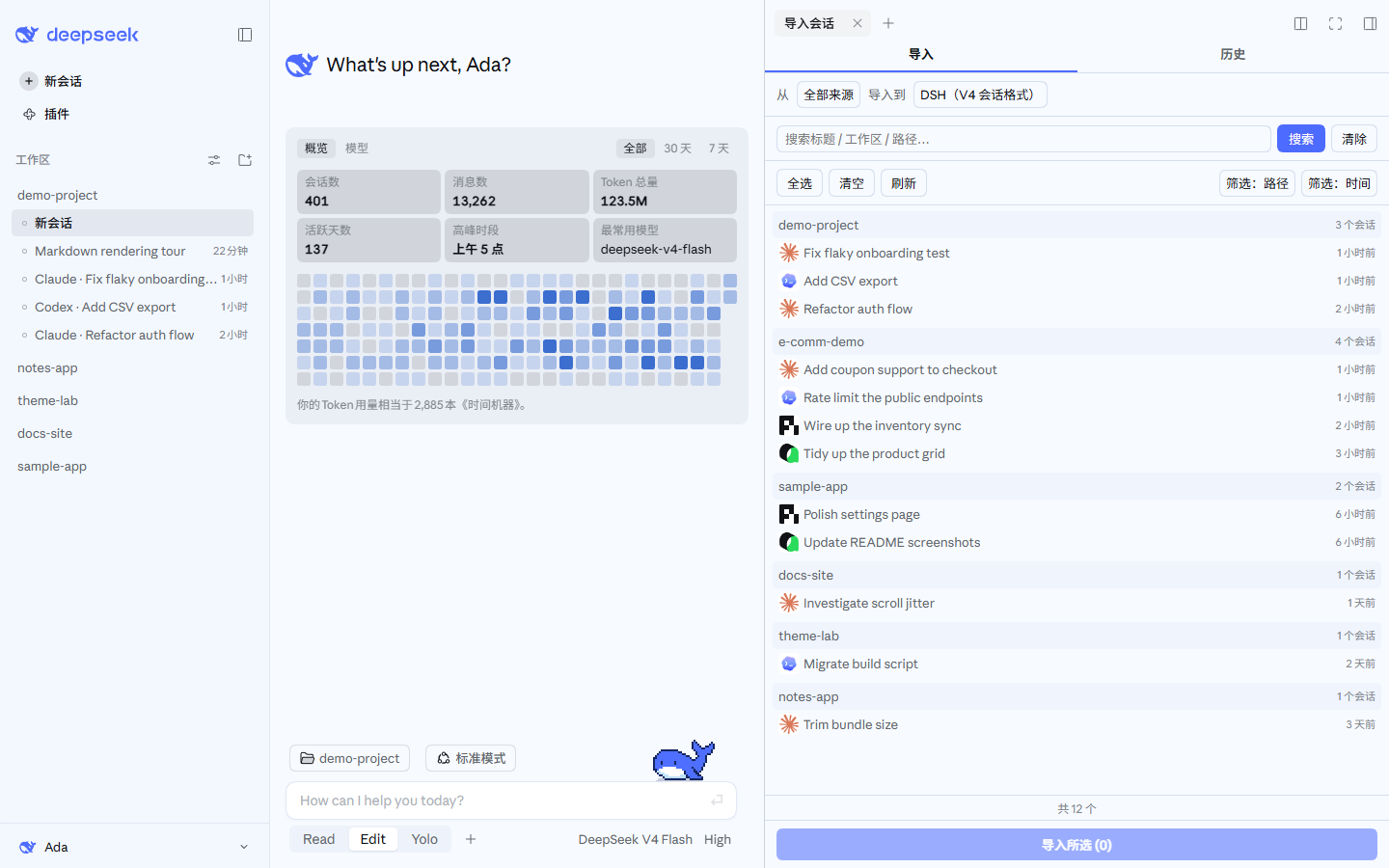
Click the Import sessions button at the bottom of the left sidebar to open the import window. With the DSH Claude Style theme, that button lives in the account menu at the bottom left. Pick the conversations you want and import them in one click.
Rows carry their own tools: double-click a row to preview the conversation (a read-only dry-run — plugin injections skipped, tool calls folded into one line), switch the search box to In content to search message bodies instead of titles, hide a row reversibly, move a single-session source file to the Recycle Bin, or drag the row onto a workspace in the left sidebar to import it there with its timestamps shifted so it sorts to the top. The exact rules are in docs/USAGE.md.
If the file came from somewhere else — a web-app export, a script you wrote, a tool this plugin does not list — use Import from file at the top of the same window. Type a local path and press Enter, or press Choose… to pick files. When the path is a directory, it asks whether to search subfolders. Check the preview, then import. If detection fails, it lists why each candidate parser gave up and points you at the skill that converts the format.
 |
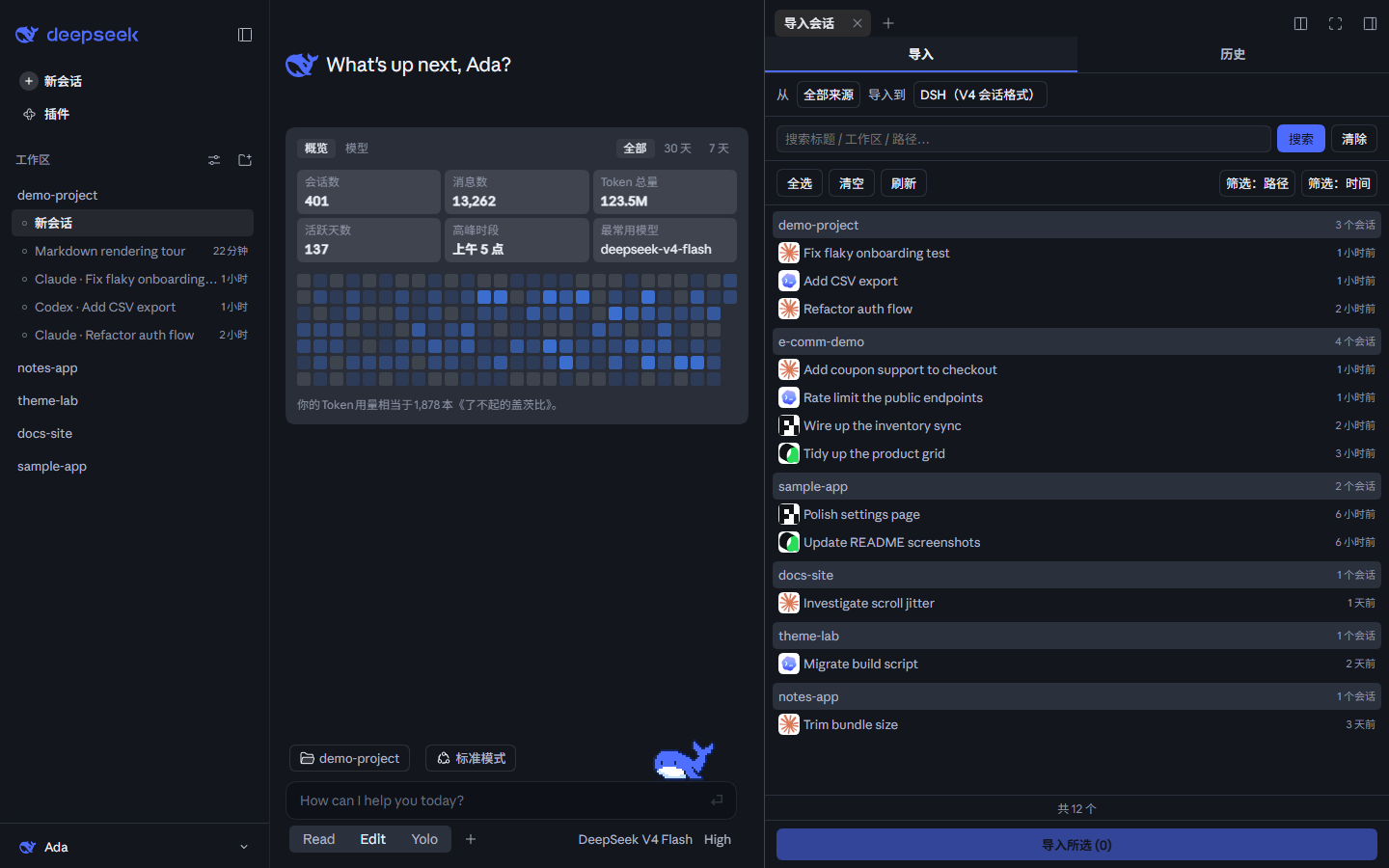 |
These screenshots also use the DeepSeek palette from DSH Claude Style, another theme plugin by the same author. It recreates the look and feel of Claude Code Desktop inside DSH and ships two palettes, one for Claude and one for DeepSeek. If the default theme is not quite your taste, give it a try. The workspaces and sessions in the screenshots are sample data.
- Import through an agent's tool call
# Example call formats
import_chat({ format: "claude", path: "~/.claude/projects" })
import_chat({ format: "chatgpt", path: "~/Downloads/chatgpt-export/conversations.json" })
import_chat({ format: "local-jsonl", path: "D:\downloads\session.jsonl" })
Cursor workspace grouping and imports prefer the local Cursor workspace registry by conversation id, accepting only existing directories. Imports always read fresh; discovery caches successful reads and invalidates on DB/WAL changes. Malformed JSON and filesystem failures are counted in diagnostic warnings. When no usable entry exists, they fall back to decoding the transcript's project directory name.
Configuration
To accommodate TUI users, the tools this plugin provides start out injected into context. In Settings you can switch them to not injected, or to a partial injection, which saves a fair number of tokens.
Full tool and command usage is in docs/USAGE.md.
Third-party plugins can call scanDiscover(), importPath(), importAll(), and resumeSummary() on the optional chatImport host service. These reuse the same discovery, import, batch-import, and handoff-summary pipelines as the built-in tools and commands. A single-session import result includes sessionId. When the service is absent, callers should degrade gracefully.
Features
| Capability | Entry Point | Description |
|---|---|---|
| Import | Sidebar panel, "Import" tab | Import conversations from other agents, keeping reasoning, tool call results, and system prompts (optional) |
| Import from file | Panel "Import from file" / /import auto <path> |
Any local file or directory: three-level detection (explicit format > content marker > parser trial), preview first, an optional search-subfolders prompt for directories, and, when every parser fails, a ready-to-send agent task brief plus a registered dsh-chat-import-convert skill |
| Retract Import | Sidebar panel, "History" tab | Review import history and delete sessions this plugin created |
| Export | Context tool | Serialize DSH sessions back into other agents' formats |
| Ignore | Automatic, plus /ignores |
Archiving, deleting, or removing a workspace registers the source, so rescans skip it; /ignore and /unignore manage the table |
Codex discovery prefers the session title saved in session_index.jsonl (thread_name), so a rename made in Codex still shows up. Only when no indexed title exists does it fall back to the first real user prompt, extracted the same way import does it, with injected page context excluded. The title index is streamed line by line, and the last valid title record wins for each session.
For activity time, Codex discovery takes the latest valid timestamp found within bounded head and tail windows of the transcript and combines the results across rollout pages. File modification time is the fallback when the transcript carries no timestamp at all, so activity times still come back when the host file service does not expose modification times. A timestamp inside a truncated record can be missed.
Claude Code fork sessions (from the newer desktop session menu and from --fork-session) are discovered and imported too. A fork transcript opens with a verbatim copy of the parent's records and appends its own from the fork point, so the main-transcript test looks at both ends of the file: if the file name's stem appears at either end, the file owns that session. Session identity is the last sessionId in the transcript. Before this rule, such files were classified as subagent auxiliary transcripts and skipped wholesale. The copied prefix, which is the parent's history, stays in the log, because a fork's context really does contain it; the parent and the fork therefore overlap by one stretch of history.
On Windows, Hermes discovery scans %LOCALAPPDATA%\hermes and ~/.hermes, falling back to ~/AppData/Local/hermes when LOCALAPPDATA is unset. On macOS and Linux it scans ~/.hermes.
Docs
| Document | Description |
|---|---|
| Usage Reference | Complete parameters, examples, and edge cases for every tool and command |
| Interchange Protocol | Interchange v1 protocol and bundle format |
| Conversion Guide | Agent-facing skill instructions: convert any transcript into an importable interchange v1 document |
| Import Guide | Agent-facing skill instructions: the format table, parameter reference, and re-import rules for import_chat |
| Settings Migration | DSH 0.1.5 → 0.1.7 plugin settings-page migration (measured errors, compatibility recipe) |
| Changelog | Version history |
| Roadmap | Not yet done, planned, and explicitly out of scope |
| Contributing | Development setup, commit rules, security and privacy |
Related Links
Need to migrate configuration (skills, hooks, global settings) rather than conversation history? Try dsh-movein.