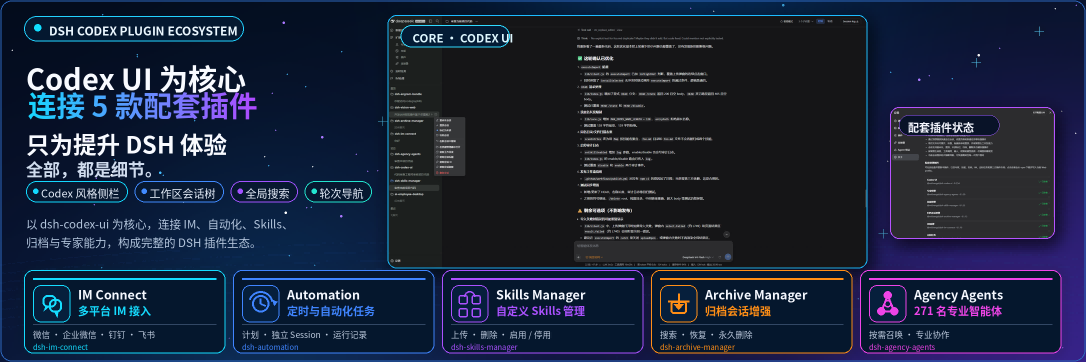
DSH Codex UI v2.0
Modern Interface Suite for DeepSeek Harness: Rapid Input Recall, Full-Screen Settings Skin, Native Physical Glass Themes, and Modular Sidebar
简体中文 · Changelog · Apache-2.0





Notice: DSH Codex UI is a community-maintained interface enhancement suite for DeepSeek Harness (DSH), not an official DeepSeek AI product.
Why Codex UI 2.0?
When working across complex projects in DeepSeek Harness, users often encounter cramped settings modals, plain monocolor palettes, unstructured sidebars, and lost prompt history. Codex UI 2.0 rearchitects the entire frontend experience through six decoupled sub-plugins, delivering a high-performance, non-intrusive, native-grade modern design:
- 🚀 Instant Prompt Recall: Terminal-style input history (
↑/↓quick recall) with isolated workspace memory and adaptive width sizing; - 🪟 Full-Screen Dual-Island Settings: Replaces cramped dialogs with Ambient Ground diffuse lighting canvas and dual floating island cards;
- 🎨 Native Physical Glass Themes: 7 built-in high-quality color schemes (featuring Codex Dark & Paper Light), dual layout modes (Stock Flat vs. Mica Floating), 3-tier material presets, and ground glow switch;
- 🧭 Modular Dynamic Sidebar: In-place smooth accordion drawer and fluid drag-and-drop reordering; 100% aligned with host official 56px native rail when collapsed, keeping all icons crisp and New Session permanently visible;
- 🧠 Intelligent Session Titles: Semantic understanding of initial user prompts, supporting 4096-token reasoning model contexts;
- 📦 Ecosystem Companion Hub: Centralized inspection, version checking, and 1-click batch upgrades for all official and third-party companion plugins.
Architectural Evolution: Why a Ground-Up Rewrite?
1. The Legacy 1.x Dilemma: Technical Debt of Forceful Component Overrides
In the early days of the DeepSeek Harness (DSH) plugin ecosystem, host frontend extension infrastructure was still nascent: fine-grained Slots registries were absent, official headless primitive libraries were unavailable, and plugin lifecycle hooks were sparse. To deliver a sleek, Codex-style immersive experience rapidly, legacy 1.x had to rely heavily on invasive component overriding: forcefully hijacking host DOM elements, injecting high-specificity CSS stylesheets, and hardcoding global CSS variables.
The Inevitable Maintenance Bottleneck: As official DSH iterated rapidly (introducing profile multi-environment isolation, shortcuts service gating, standard Slots registries, and the official primitive suite @deepseek-ai/dsh-client-ui-primitives), the technical debt of "forceful overrides" escalated dramatically:
- 💥 Extremely Brittle Compatibility: Any subtle DOM change or build-hash class update in upstream DSH would instantly break CSS overrides or cause full-page rendering crashes, stalling updates;
- 🎨 Style Bleed & Half-Degradation Trap: Injected global CSS tokens lacked clean lifecycle boundaries. Toggling off a theme failed to purge root attributes, resulting in awkward "half-degraded" states where glass effects vanished but hardcoded dark backgrounds lingered;
- 🧩 Broken Lifecycles & Zombie Settings: When a sub-feature was disabled, overridden views could not cleanly fall back to host native interfaces, leaving inert, non-functional configuration controls stuck in the settings modal.
2. The 2.0.0 Rearchitecture Decision: Fully Embracing Host Natives
Faced with these compounding challenges, we made the decisive choice in v2.0.0 to completely scrap all 1.x component override code and establish a new baseline: zero-intrusion, micro-kernel decoupling, and native-first engineering:
- 🏛️ Strict Adoption of Official Primitives & Slots: Prohibited custom hand-drawn CSS widgets; strictly leveraged official
Switch,SegmentedControl, andButtonprimitives. When collapsed, the sidebar strictly aligns with the official 56px native icon rail; - 🧩 Six Decoupled Micro-Kernel Sub-Plugins: Broken down into 6 self-contained, high-cohesion sub-plugins with explicit boundaries, enabling independent lifecycle management and streamlined code audits;
- 🛡️ Fail-Closed Circuit Breaker & Adaptive UI: Implemented strict fail-closed safety contracts. When a sub-plugin is disabled or unreachable, the runtime physically cleanses all injected tokens/root attributes, while the settings UI completely hides the defunct card (0 DOM nodes), reverting instantly to pristine host defaults without visual clutter;
- 🔒 Authoritative Profile Isolation & Self-Healing: Unambiguous Profile directory resolution eliminates cross-profile contamination, backed by window-focus self-healing probes for resilient network handling;
- 🎨 Authentic Codex Tech Aesthetic: Purged legacy green color pollution, strictly adhering to
#339cfftech-blue, minimalist paper, and charcoal dark tones with dual layout modes and ambient ground reflection glows.
Architecture: 6 Core Sub-Plugins
| Sub-Plugin ID | Name | Capabilities |
|---|---|---|
composer |
Composer Enhancement | Terminal-style input history (↑/↓), workspace-isolated storage, dual drag-resize handles, and contextual prompt hints. |
settings-skin |
Native Settings Skin | Full-screen workbench layout, dual floating island system, Ambient Ground lighting canvas, and native search. |
theme |
Theme & Glassmorphism | 7 built-in themes with Appearance Cubes, Stock Flat vs. Mica Floating modes, 3 material presets, and ground glow switch. |
sidebar |
Modular Sidebar | In-place accordion expansion, smooth drag-and-drop reordering; collapses cleanly into host native 56px icon rail. |
session-title |
Intelligent Session Title | Generates standardized session titles from initial prompt semantics, handling reasoning model outputs up to 4096 tokens. |
dependencies |
Companion Management | Centralized dashboard for official/third-party DSH companion plugins with live npm download counts and 1-click updates. |
Live Screenshots
All screenshots are captured directly from live DeepSeek Harness Web runtime environments using
ego-browser.
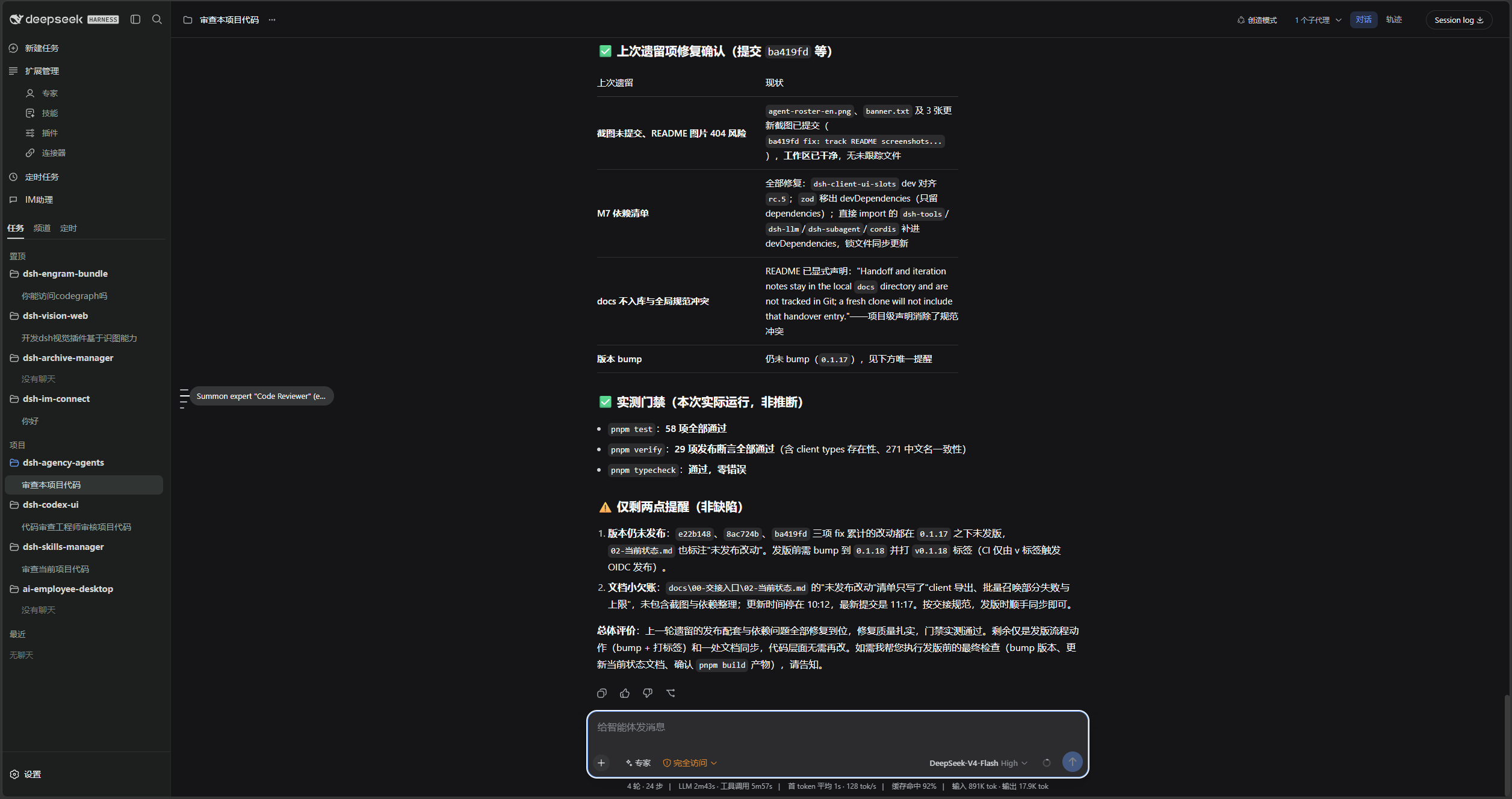
1. Immersive Workspace & Composer (Dark Mode)
Codex Dark palette with centered hero actions, prompt cards, and bottom composer with adaptive resize handles and ↑↓ history hints.
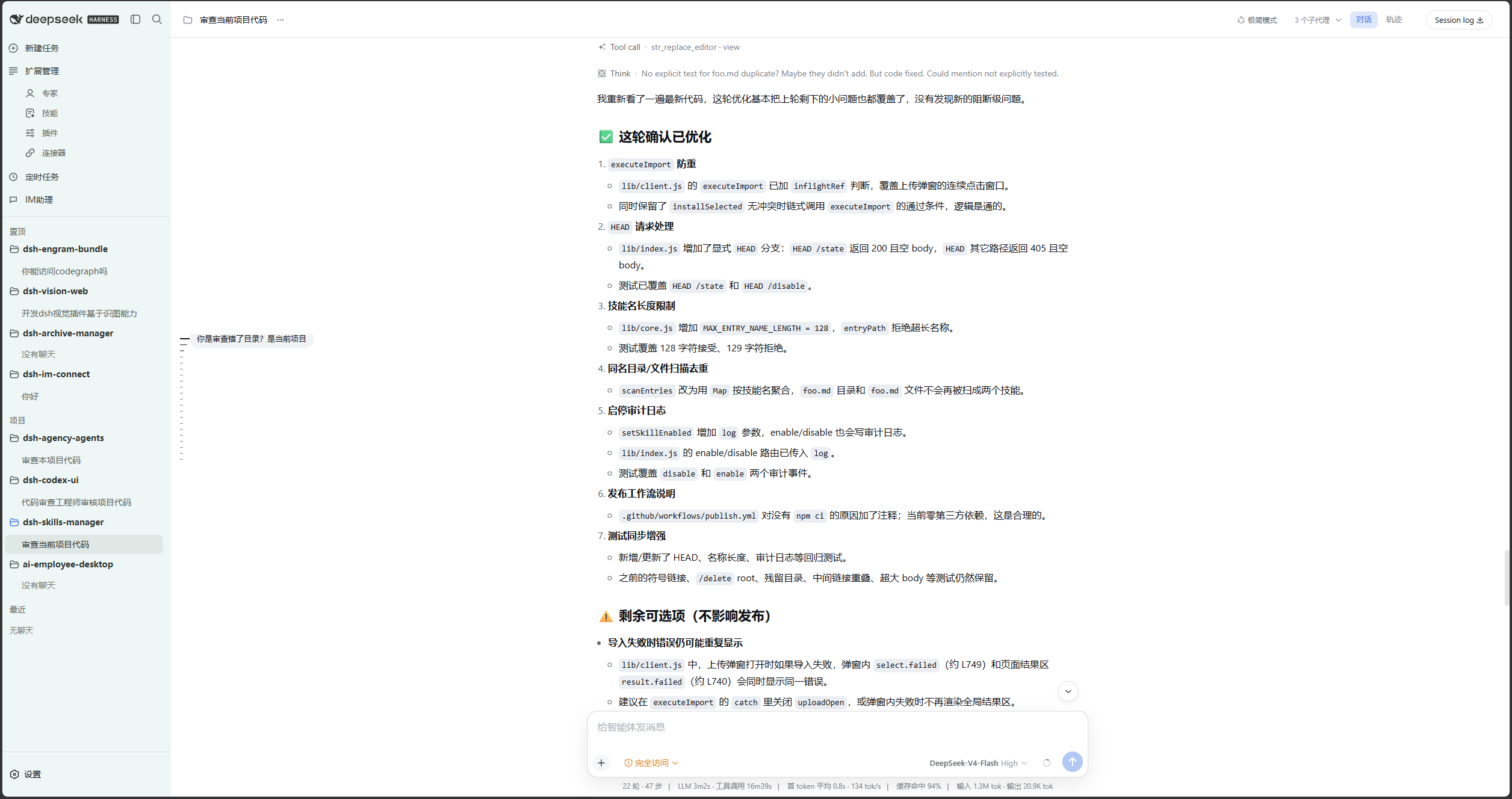
2. Paper Minimalist Workspace (Light Mode)
Codex Light palette powered by Ambient Ground diffuse lighting gradient, delivering organic warmth and eye comfort.
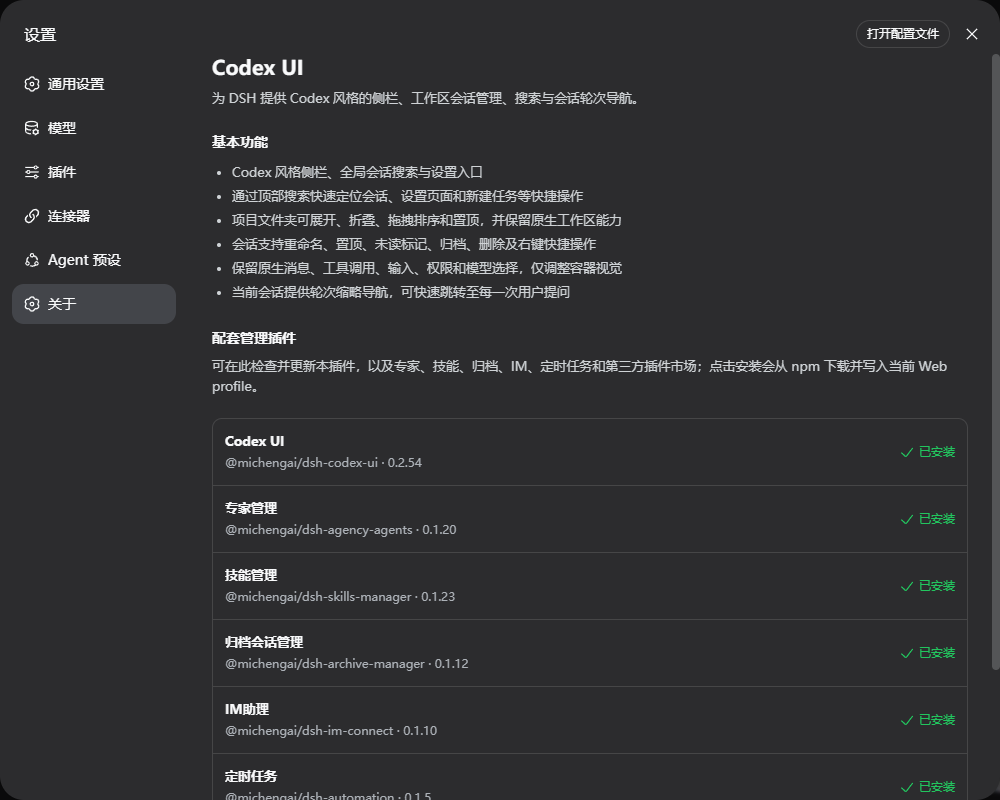
3. Full-Screen Dual-Island Settings (Modular Card System)
Spacious settings workbench organized into a modular card system (Feature Overview, Theme & Glassmorphism, and Companion Plugins), dynamically adapting based on active sub-components.
4. Theme Customization & Glassmorphism
7 Appearance Cube color cards (Stock, classic Codex tech-blue/monochrome, Mocha, Macchiato, Frappé, Latte), Segmented Controls for layout modes and material blur, plus ground reflection toggle.
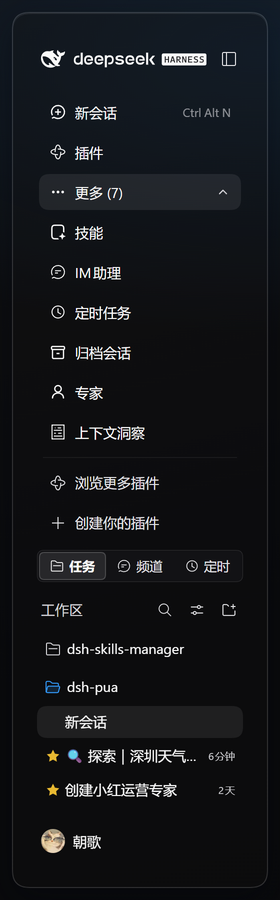
5. Modular Sidebar Navigation (Expanded)
Reorderable navigation entries, in-place accordion drawer for tools (IM Assistant, Cron, Archive, Experts), and quick-action pinned rows.
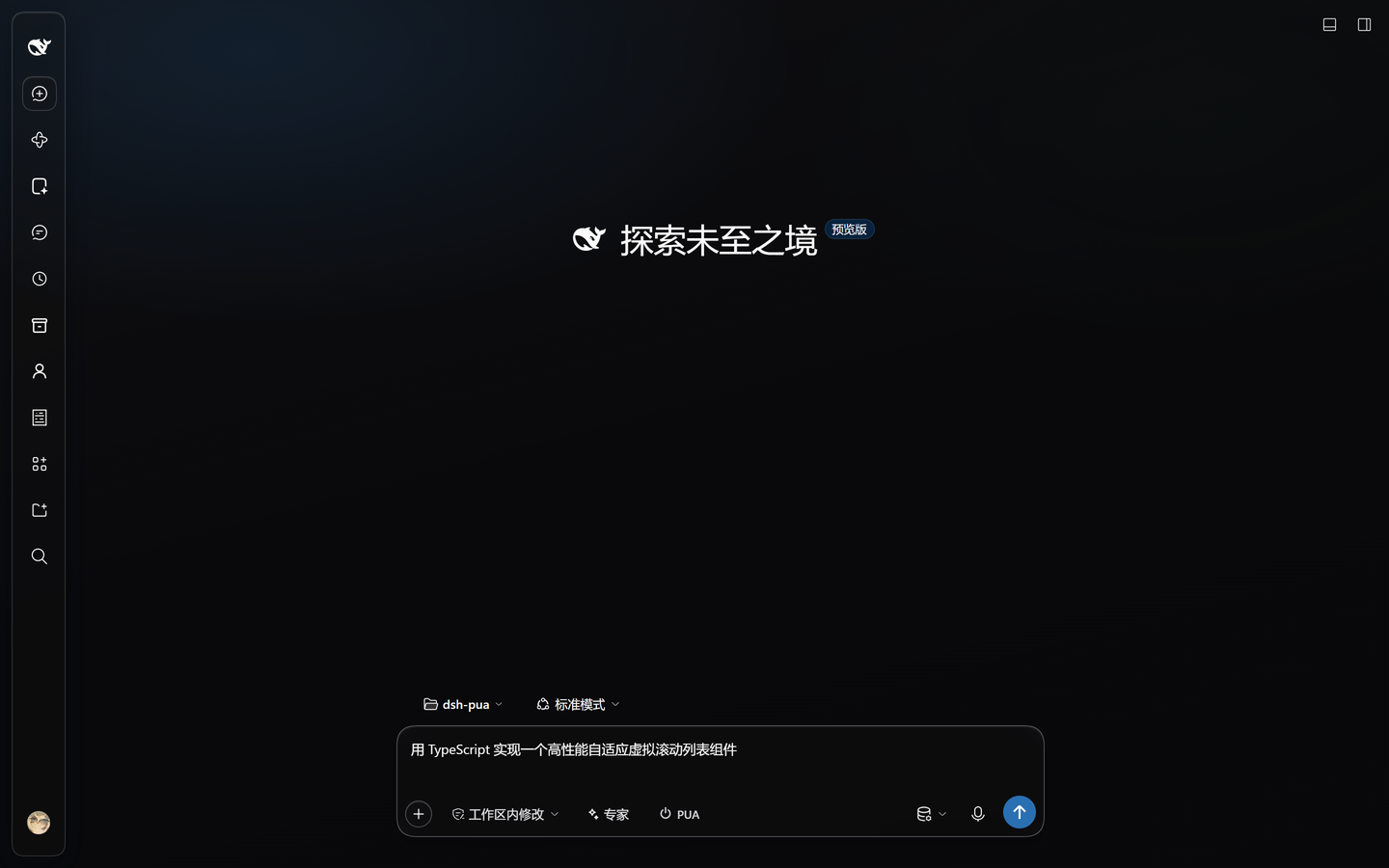
6. Official Native 56px Rail (Collapsed)
Collapses seamlessly into the host official 56px compact activity rail. All plugin icons remain centered and accessible, with New Session prominently highlighted.
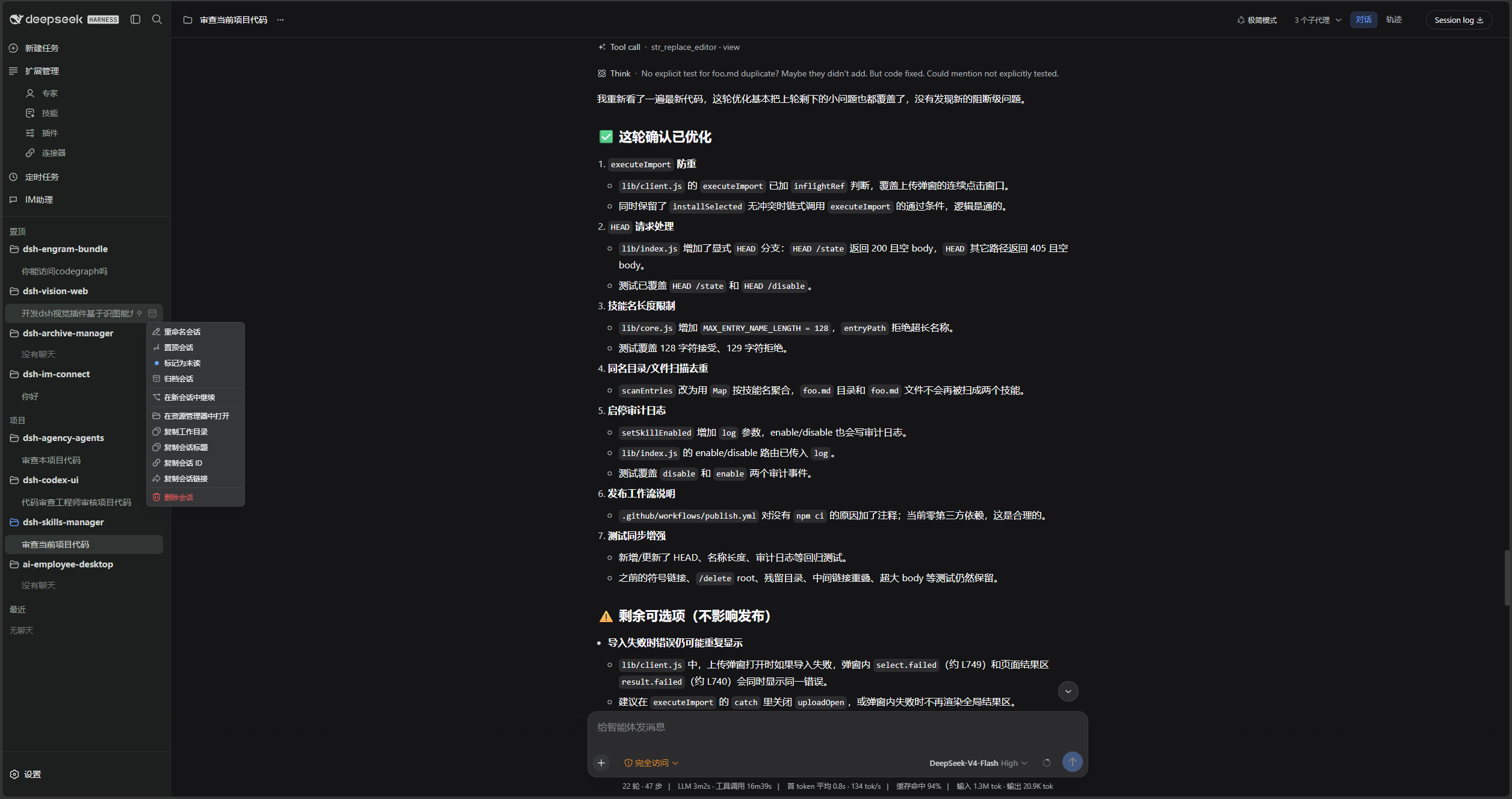
7. Enhanced Session Menu
Quick actions directly on session rows: Pin, Rename, Unread marker, Archive, Fork, and Safe Deletion.
Host Compatibility
- Supported Generations: Full DeepSeek Harness
0.2.xline (>=0.2.0-rc.1 <0.3.0-0); - Verified Builds: Tested and verified on
0.2.0-rc.1,0.2.0-rc.2,0.2.1-rc.1,0.2.1-rc.2,0.2.1-rc.3,0.2.1-rc.4, and0.2.2-alpha.2, with automatic forwards compatibility for subsequent RCs; - Runtime Requirements: Node.js
^22.19.0 || >=24.0.0, pnpm^11.0.0.
⚠️ Notice: Do not enable Codex UI and
ds-botconcurrently. Both redesign sidebar and session slots with overlapping layout mechanics. Disable or uninstall one before enabling the other.
Installation & Getting Started
Option A: Agent-Assisted Installation (Recommended)
Copy and send this prompt to any agent capable of executing terminal commands (replace web with your target profile):
Please install the DSH plugin @michengai/dsh-codex-ui into my local web profile by running:
dsh plugin --profile web add @michengai/dsh-codex-ui@latest --registry=https://registry.npmjs.org/
Then run dsh --profile web --dump-config to verify codex-ui is active and remind me to refresh my browser.
Option B: Manual Installation
Execute in PowerShell or MSYS Bash:
[Console]::OutputEncoding = [System.Text.Encoding]::UTF8
$OutputEncoding = [System.Text.Encoding]::UTF8
dsh plugin --profile web add @michengai/dsh-codex-ui@latest --registry=https://registry.npmjs.org/
dsh --profile web --dump-config
Once installed, restart your DSH Web instance and hard-refresh your browser (Ctrl + Shift + R or Cmd + Shift + R).
Quick Reference
| Feature | How to Use |
|---|---|
| Recall Input History | Press ↑ / ↓ in an empty composer to cycle through past inputs submitted in the current workspace (up to 200 items). |
| Resize Composer Width | Hover over either lateral border of the composer and drag the blue handles. |
| Switch Themes & Blur | Navigate to Settings → Codex UI, choose from 7 palettes, and toggle Stock/Mica or blur presets. |
| Reorder Sidebar Items | Drag any item vertically; blue indicators guide drop positions into or out of the More drawer. |
| Collapse Sidebar | Click the collapse button on top of the sidebar to switch to the official 56px native icon rail. |
| Batch Upgrade Plugins | In Settings → Codex UI, click Update All on the Companion Plugins card. |
Ecosystem Matrix
Pair Codex UI with the first-party companion plugins for an integrated development workflow:
| Plugin | Purpose |
|---|---|
| Codex UI | UI Core: Rapid recall, settings skin, physical glass, and modular sidebar |
| Agency Agents | Specialist Matrix: Summon and dispatch specialized agent profiles |
| Skills Manager | Skills Hub: Discover, import, enable, and configure local agent skills |
| Archive Manager | Archive Vault: Deep search, restore, and prune historical sessions |
| IM Connect | Bridge: Connect WeChat, DingTalk, Feishu, and QQBot |
| Automation | Scheduler: Cron-based workflows and run evidence auditing |
| Code Review | Reviewer: /review dispatches subagents to audit code in-thread |
| Simplify | Refactor: /simplify concurrent 4-agent code cleanup |
| PUA | Resilience: Failure recovery, hypothesis switching, and evidence verification |
| BTW | Side-Questions: Ephemeral context inquiries without disrupting main tasks |
| Codex Pet | Companion: Desktop interactive pet for approvals and notifications |
License
Distributed and licensed under the Apache License 2.0.\n