gh-setup-hooks


Auto-install GitHub CLI on Claude Code on the Web. Just add one line to settings.json.
Setup
1. Add hook to settings.json
Add to .claude/settings.json:
{
  "hooks": {
    "SessionStart": [
      {
        "hooks": [
          {
            "type": "command",
            "command": "bun x gh-setup-hooks",
            "timeout": 120
          }
        ]
      }
    ]
  }
}
npx -y gh-setup-hooks is also ok.
2. Set up Claude Code on the Web
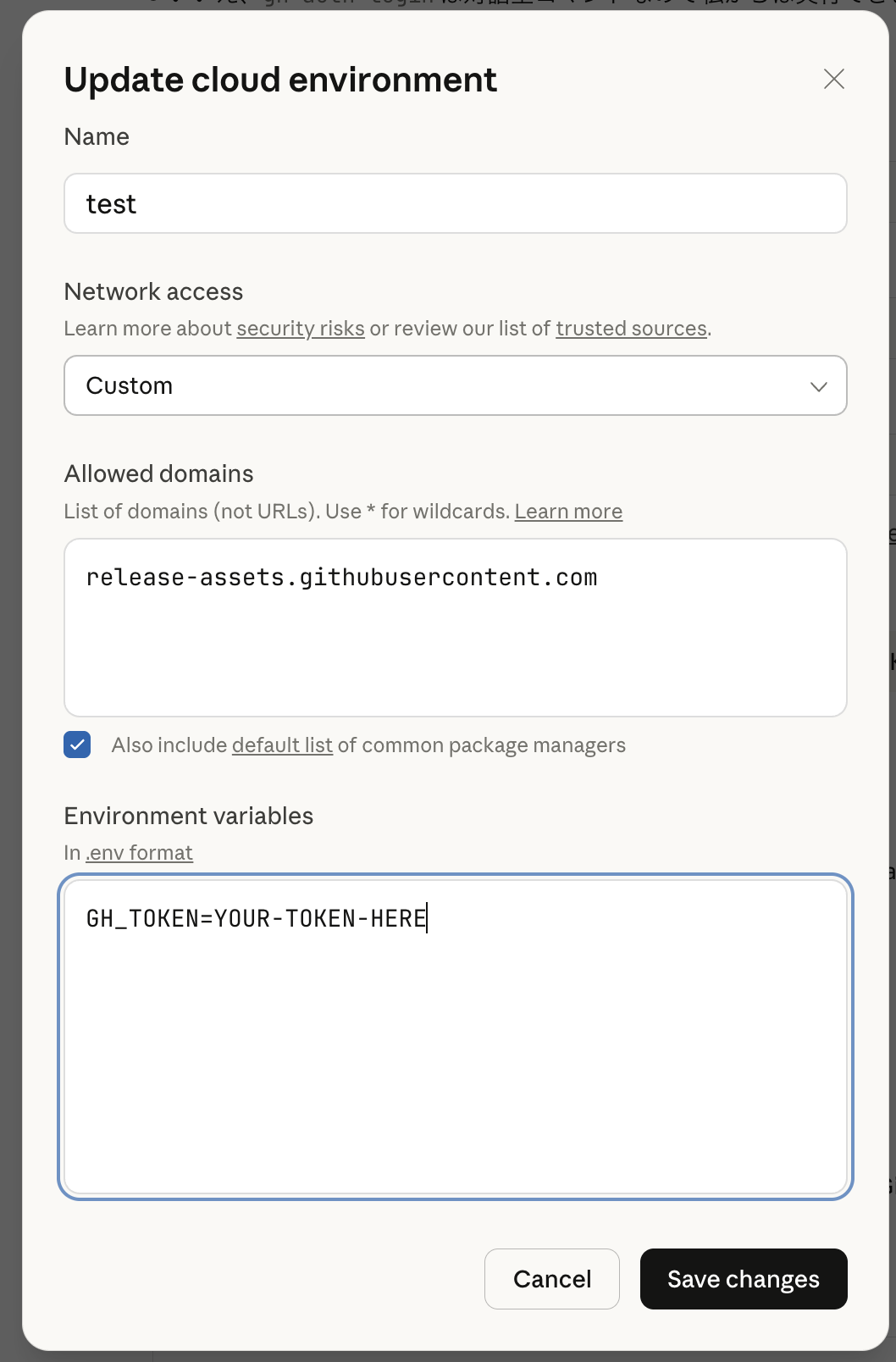
To use gh commands (e.g., gh pr create), you need to set GH_TOKEN or GITHUB_TOKEN:
- Go to Claude Code on the Web
- Open Settings → Custom Environment
- Add environment variable:
- Name:
GH_TOKENorGITHUB_TOKEN - Value: Your GitHub Personal Access Token
- Name:
Note: The token needs
reposcope for most operations.
Claude Code on the Web network should be Full or Custom. If using Custom, you need to allow release-assets.githubusercontent.com.
How It Works
- Start a session on Claude Code on the Web
- SessionStart hook runs
npx gh-setup-hooks - Installs gh only in remote environment (
CLAUDE_CODE_REMOTE=true) - Installs to
~/.local/binand persists PATH - Auto-detects
GH_REPOfrom git remote forghCLI compatibility - Does nothing in local environment
Configuration
| Environment Variable | Description | Default |
|---|---|---|
GH_SETUP_VERSION |
gh version to install | 2.88.1 |
License
MIT